
Independently reviewed using official sources and 2 hands-on tests conducted by GoTaskAI in August 2026. Last verified: August 3, 2026.

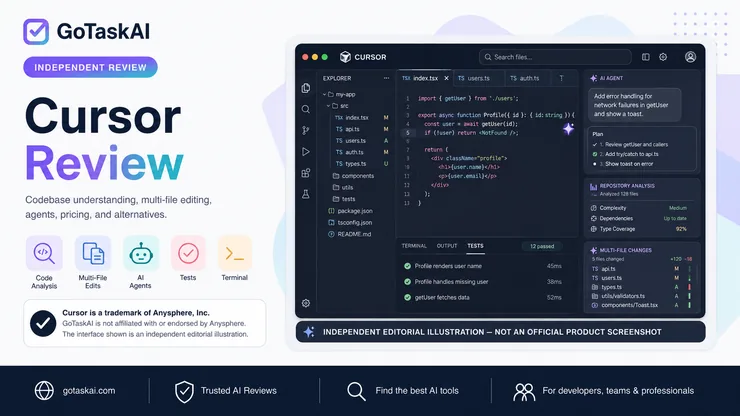
Analyzes repository structure, files, dependencies, and relationships to answer questions with project-wide context. In our first hands-on test, Cursor inspected a 12-file Node.js repository, understood its main architecture, and identified two genuine implementation risks, although it missed several edge cases.
Plans and applies coordinated changes across multiple files instead of limiting assistance to isolated code snippets. In our second test, Cursor implemented a priority feature across five files while largely preserving the project’s architecture and existing public result shapes.
Lets developers describe changes in plain language and then generates, modifies, or refactors the relevant code. This can reduce the amount of manual navigation required when working across unfamiliar or interconnected files.
Suggests code as developers type, including multi-line completions and context-aware edits based on the surrounding file and repository. It is designed to accelerate repetitive implementation work while keeping the developer inside a familiar editor workflow.
Can create regression tests, inspect existing test coverage, and use terminal commands to verify changes. In our feature-implementation test, Cursor added five relevant tests, although we could not execute them in that test environment because Node.js was not available at the time.
Helps inspect errors, trace possible root causes, and propose targeted fixes using repository context. We prepared a separate controlled debugging test, but Cursor Agent did not begin the task after the free-plan usage limit was reached, so we did not score its debugging performance.
Agents can interact with terminal commands and development workflows while modifying a project. This allows Cursor to combine code analysis, implementation, and verification within the same task, subject to user permissions and the local environment.
Supports repository-specific instructions that guide how agents should edit code, run tests, and avoid unrelated refactoring. In our tests, Cursor largely followed the supplied project instructions and maintained the existing structure rather than rebuilding unrelated parts.
✓ Understand unfamiliar repositories and explain how files, modules, and dependencies connect
✓ Implement features that require coordinated changes across multiple files
✓ Generate, edit, and refactor code using natural-language instructions
✓ Review existing code and identify implementation risks or potential edge cases
✓ Generate tests, work with terminal commands, and verify development changes
Use Cursor to inspect an existing codebase, understand its architecture, trace relationships between files, and make context-aware changes without treating each file in isolation. In our first hands-on test, Cursor analyzed a 12-file Node.js repository and correctly identified the project’s main structure and two genuine implementation risks.
Extend Cursor from code understanding into implementation by asking its Agent to coordinate edits, generate supporting tests, and follow repository instructions across multiple files. In our second test, Cursor implemented a priority feature across five files and added five tests while largely preserving the existing architecture.



Cursor is one of the stronger AI coding environments we tested for developers who want assistance across an entire repository rather than isolated code suggestions. Its combination of codebase context, multi-file editing, Agent workflows, and terminal access makes it particularly useful for existing projects.
In our first hands-on test, Cursor analyzed a 12-file Node.js repository, understood the main architecture, and identified two genuine implementation risks. It was not perfect, however, and missed several edge cases that still required developer review.
In a second test, Cursor implemented a priority feature across five files and added five relevant tests while largely preserving the repository’s structure and instructions. This showed that its value extends beyond explaining code into carrying out coordinated development work.
The main limitations are reliability and usage control. Cursor can miss important details, multi-file changes still need human verification, and our planned debugging test could not begin after the free-plan Agent limit was reached even though the account dashboard still showed 50% of included usage used. We therefore did not score that debugging attempt as a failure.
Overall, Cursor earns a GoTaskAI Score of 4.2/5. It is a strong choice for developers who regularly work with existing codebases and want AI integrated into broader development workflows, but it should remain part of a reviewed engineering process rather than operate without oversight. You can explore other reviewed tools in the GoTaskAI AI Tools directory.
Developers and engineering teams working with existing codebases, especially those who want AI assistance for repository understanding, coordinated multi-file changes, code generation, and broader development workflows inside a familiar editor.
Cursor’s output should still be reviewed before code is merged or deployed. In our testing, it missed some edge cases, and our planned debugging test could not begin after the free-plan Agent usage limit was reached. Developers working with sensitive or proprietary code should also review Cursor’s privacy and data-handling settings before use.
Cursor is an AI-powered code editor and agent platform built around repository-level context. Unlike a traditional editor that mainly provides manual coding tools, Cursor can analyze an existing codebase, answer questions about project structure, generate and modify code across multiple files, create tests, and use development commands through its Agent workflows.
Yes. It offers a free Hobby plan with limited Agent usage, while paid plans provide higher usage limits and broader access to advanced models and agent features. In our testing, the free-plan Agent limit was reached before we could complete a planned third debugging test.
Yes. This was one of its strongest areas in our hands-on testing. It analyzed a 12-file Node.js repository, understood the main architecture, identified two genuine implementation risks, and later completed a feature that required coordinated changes across five files.
Yes. It can produce useful code and analysis, but its output still requires developer review. In our repository-understanding test, it correctly identified important issues but missed several edge cases. AI-generated changes should therefore be reviewed and tested before they are merged or deployed.
Cursor provides privacy and data-handling controls, including Privacy Mode, but organizations working with proprietary or sensitive repositories should review the current security, privacy, and data-retention policies before adoption. The appropriate configuration may depend on the organization’s compliance and security requirements.
Cursor is best suited to developers and engineering teams that regularly work with existing repositories, multi-file features, codebase analysis, refactoring, and AI-assisted development workflows. Its value is lower for users who only need occasional single-line code suggestions or very light coding assistance.