
Home

AI Tools

Claude AI
Independent Review

Claude AI

Claude AI is an AI assistant from Anthropic built for writing, research, analysis, coding help, summaries, and working with long documents. It is especially strong for users who need careful reasoning, clear explanations, and reliable support for text-heavy work.

Independently reviewed using official sources and practical use cases.

Claude AI logo
GoTaskAI Score
4.8
Pricing
Freemium
Tool Type
Provider
Anthropic

Quick Verdict

Claude AI is a strong AI assistant for writing, research, analysis, coding, and long-document work. It is best for users who need careful reasoning, clear answers, and strong context understanding rather than only quick short responses.
Best For
Writers, researchers, students, marketers, developers, and teams that need help with writing, analysis, summarization, coding, and working with long documents.
Worth It?
Yes, especially for users who need strong writing, research, analysis, coding help, and long-document understanding.
Main Strength
Long-form writing, deep analysis, summarization, coding support, and understanding complex instructions.
Main Weakness
Some advanced usage limits, features, and team options require paid plans, and important outputs still need human fact-checking.

What is Claude AI?

Claude AI is a conversational AI assistant developed by Anthropic. It can help with writing, editing, summarizing, research preparation, coding explanations, brainstorming, and analyzing long text or documents. In real use, Claude AI is especially strong for users who care about clear writing, careful reasoning, and working with longer content. It is a good choice for writers, researchers, students, developers, marketers, and teams that need structured answers instead of only quick replies. Claude AI is powerful, but it should still be reviewed when accuracy, sources, or important decisions matter.
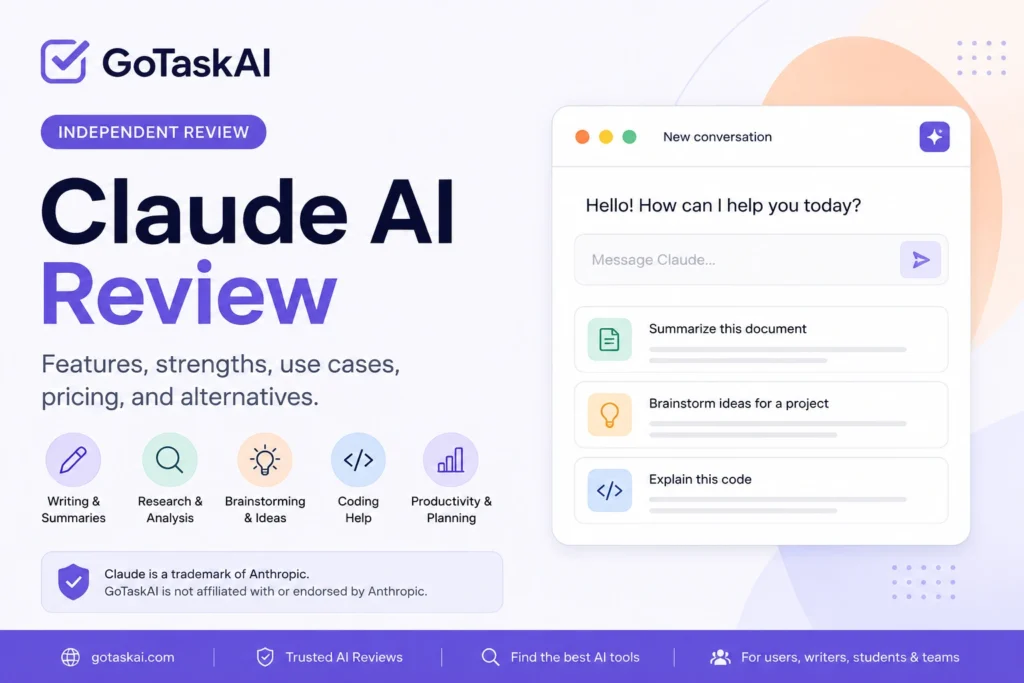
Claude AI review covering features, pricing, strengths, use cases, and alternatives

Key Features

✍️

Writing Assistance

For drafting, editing, rewriting, and improving long-form content.

💻

Document Analysis

For summarizing, reviewing, and extracting insights from long documents.

🔎

Research Support For

organizing information, comparing ideas, and preparing deeper research.

🎓

Coding Help For

code explanations, debugging ideas, and technical reasoning.

Reasoning Support For

careful answers, structured thinking, and complex problem solving.

🚀

Productivity Support For

planning, workflows, summaries, and everyday work tasks.

Pros & Cons

Claude AI is strong for writing, reasoning, and long-document work, but it still needs review when accuracy, sources, or critical decisions matter.

Pros

  • Strong for long-form writing, editing, and rewriting
  • Good at summarizing and analyzing long documents
  • Helpful for research preparation, structured thinking, and careful explanations
  • Useful for coding explanations, debugging ideas, and technical reasoning
  • Good choice for users who prefer clear, natural, and less rushed answers

Cons

  • Answers can still be inaccurate or incomplete
  • Web access and advanced features may depend on the selected plan or availability
  • It may not be the best choice for users who only need very quick short answers
  • Important outputs still need verification
  • Some features, limits, and pricing can change over time

Pricing

Claude AI has a free plan for basic use, which is enough to test the assistant for writing, summaries, research preparation, and everyday questions. For regular use, Claude Pro costs $20/month and gives higher usage than the free plan. Claude also offers Max plans for heavier individual use, plus Team and Enterprise plans for organizations that need collaboration, administration, and workspace features. Overall, the free plan is a good starting point. Claude Pro is the better choice if you use Claude regularly for writing, long documents, research, coding help, or daily productivity work.
Free Plan
$0 / month
✔ Basic access
✔ Good for everyday prompts
✔ Useful for writing and summaries
✔ Limited usage
✔ Standard features
Paid Plans
Most Popular
Varies by plan and country
✔ Free for basic and occasional use
✔ Pro for regular use and higher usage limits
✔ Max 5x and Max 20x for frequent or intensive individual use
✔ Team for collaboration, administration, and shared workspace features
✔ Enterprise for advanced security, compliance, and organization-wide use
Prices, plan availability, currencies, and taxes may vary by country. Check the official Claude AI pricing page before subscribing.

Best Use Cases

Claude is useful for writing, reasoning, summarization, and working with detailed information.

  • Drafting, editing, and improving long-form content
  • Summarizing long documents, notes, reports, or research material
  • Explaining complex topics with clear and structured answers
  • Helping with coding explanations, debugging ideas, and technical reasoning
  • Planning workflows, organizing ideas, and preparing research outlines
Writing Workflow

Content Creation

Strong for writing, rewriting, editing, summaries, articles, emails, reports, and long-form content.

Best For Writers, researchers, and teams
Main Use Writing + Analysis

Research & Summarization

Works well for document analysis, structured thinking, research preparation, planning, and careful explanations.


Research Strong
Planning Practical
Workflow Structured

Related AI Tools

ChatGPT is a flexible AI assistant for writing, research, coding, learning, brainstorming, and everyday productivity. It is one of the easiest AI tools to start with, but its answers still need review when accuracy, sources, or professional decisions matter.
Gemini is Google’s AI assistant for writing, research, brainstorming, summaries, productivity, and working across Google’s ecosystem. It is especially useful for users who already rely on Google Search, Gmail, Docs, Drive, or Workspace tools.

Final Verdict

Recommended for

Best for writers, researchers, students, developers, marketers, and teams that need writing, analysis, summaries, coding help, and long-document support.

Verify Before Use

Always verify important outputs, especially for medical, legal, financial, security, or technical decisions.

Frequently Asked Questions

What is Claude AI best used for?

Claude AI is used for writing, editing, summaries, research preparation, document analysis, coding help, brainstorming, and productivity tasks.

Yes. Claude AI has a free plan for basic use. Paid plans are available for users who need higher limits, advanced features, or team and workspace options.

Yes. Claude AI is strong for drafting, editing, rewriting, summarizing, and improving long-form content. It is especially useful for users who work with text-heavy tasks.

Yes. Claude AI can help summarize, review, and extract key points from long documents, notes, reports, and research material.

No. Claude AI can still make mistakes, miss context, or give incomplete answers. Important information should be checked with reliable sources.

Claude AI is best for writers, researchers, students, developers, marketers, professionals, and teams that need help with writing, analysis, documents, research, and structured productivity work.

Ready to try Claude AI?

Start with the free plan to test Claude AI for writing, summaries, document analysis, research, coding help, and productivity. Upgrade only if you use it regularly and need higher limits or advanced features.