
Independently reviewed using official sources and practical use cases. Last verified: August 1, 2026.

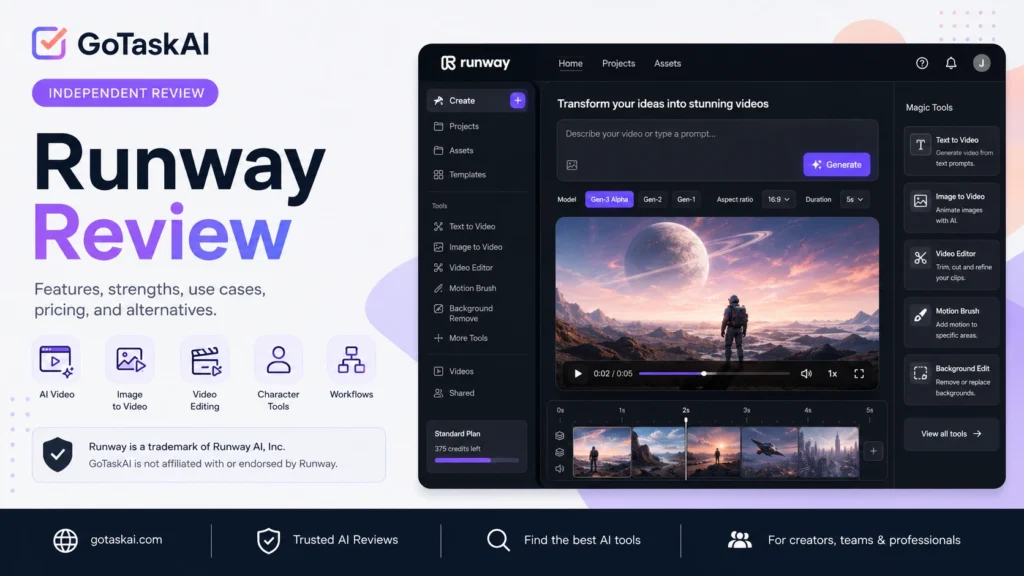
Creates videos from text prompts, images, or existing footage using advanced generative models.
Edits scenes, lighting, backgrounds, objects, and visual styles through natural-language instructions.
Transfers facial expressions, gestures, and body movements to digital characters using Act-Two.
Creates images, visual references, and consistent characters for scenes and creative projects.
Connects models and editing steps in reusable node-based workflows for more complex production tasks.
Provides focused tools for background changes, object removal, keyframes, character swaps, and other visual effects.
✔ Generate short cinematic scenes, B-roll, mood reels, and music video clips from text or image prompts
✔ Create social media videos and campaign assets for YouTube, TikTok, Instagram, and advertising
✔ Edit existing footage by changing backgrounds, lighting, objects, product colors, or visual styles
✔ Animate characters using facial expressions, voice, gestures, and body movements captured from a performance video
✔ Build repeatable creative pipelines for product shots, storyboards, video variations, and multi-step production tasks
Generate short cinematic clips, B-roll, product visuals, and social content from text or image prompts. Refine existing footage by changing backgrounds, lighting, objects, motion, and visual styles.
Extend the video workflow with character animation, image generation, audio tools, and reusable production workflows. This is useful for building storyboards, campaign variations, product visuals, and repeatable creative pipelines.


Runway is one of the strongest options for creators who want advanced AI video generation and editing in a single workspace. It is particularly effective for producing short cinematic clips, campaign visuals, concept footage, social content, and creative experiments that would otherwise require several separate tools.
Its biggest advantage is the breadth of its creative workflow. Users can generate footage from text or images, modify existing video, animate characters, create supporting images and audio, and connect multiple production steps without leaving the platform.
The main limitation is its credit-based pricing. Repeated generations, longer projects, and higher-cost models can consume credits quickly, while achieving a polished result often requires several attempts. Generated footage should also be reviewed carefully for visual errors, continuity issues, and the rights attached to uploaded source material.
Runway is best suited to filmmakers, content creators, marketers, designers, and production teams that regularly work with AI-generated video. Casual users can test the Free plan, but professionals producing content frequently will usually need a paid plan and careful credit management.
Runway is a strong choice when video creation and visual editing are the main priorities. Explore more options in the GoTaskAI AI Tools directory, or review Canva AI for broader design workflows and Gamma for AI-assisted presentations and visual documents.
Runway is recommended for filmmakers, content creators, marketers, designers, and creative teams that regularly produce short AI-generated videos, visual effects, campaign assets, character animation, or concept footage and want generation and editing tools inside one workspace.
Runway’s credit-based model can become expensive when testing many variations or using higher-cost models. Monthly plan credits generally reset instead of accumulating, and every generated result should be reviewed for visual accuracy, continuity, and the usage rights of uploaded source materials.
Yes. Runway offers a Free plan with 125 one-time credits. These credits do not expire, but they do not renew after they are used, and Free plan users cannot purchase additional credits without upgrading.
Yes. Runway can generate video from text prompts and source images, depending on the selected model. It also provides tools for editing existing footage, animating characters, and creating visual variations.
Yes. Runway allows users to use their generated content commercially without required attribution. Users remain responsible for ensuring that uploaded materials and generated content do not violate copyrights, privacy rights, or other applicable rules.
Runway accepts prompts in languages other than English, although results may vary between languages. The platform interface is currently available only in American English and does not have an officially localized interface.
Standard and Pro monthly credits do not roll over and reset around the billing date. Max users can roll over up to one month of unused credits, while separately purchased credits do not expire.
Videos generated on the Free plan include a Runway watermark. Watermark-free generation and exports are available with the Standard plan and higher paid plans.