
Independently reviewed using official sources and 3 hands-on tests conducted by GoTaskAI in August 2026. Last verified: August 7, 2026.
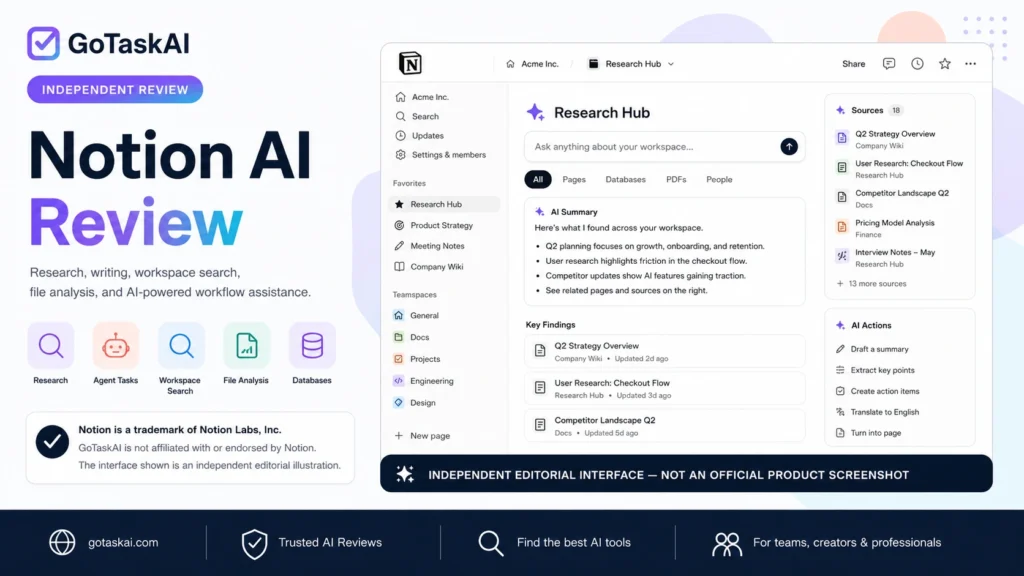
Uses workspace context to answer questions, create and edit pages, update databases, and complete multi-step tasks inside Notion. In our first hands-on test, it correctly resolved conflicting information across six project pages and updated an existing database record without creating a duplicate.
Performs deeper research across workspace sources, connected apps, and the web, with citations to supporting sources. In our second hands-on test, it correctly distinguished historical results from current targets and achieved 10/10 accuracy across our controlled research benchmark.
Searches and synthesizes information across Notion and supported connected services while respecting the user’s existing access permissions.
Reads and analyzes uploaded files such as PDFs and images, extracts structured information, performs calculations, and identifies inconsistencies. In our third hands-on test, it correctly detected a 10-organization discrepancy and a $400 MRR reconciliation difference in a structured PDF.
Creates, edits, and organizes Notion pages and databases directly through AI, including updating structured properties and existing records.
Drafts, rewrites, summarizes, translates, and improves content directly inside Notion pages using the surrounding workspace context.
Records, transcribes, summarizes, and organizes meetings into key points, decisions, and action items, with availability and language support varying by feature and plan.
Uses AI to populate database properties with summaries, classifications, extracted information, and other structured outputs based on page content.
Provides access to multiple AI model families through Notion, with model availability, capabilities, and access to workspace context varying by selected model and plan.
✓ Research across workspace pages and connected sources, then produce cited summaries or executive briefs
✓ Ask questions across project documentation and resolve conflicting information using the latest approved source
✓ Create, edit, and update Notion pages or database records using natural-language instructions
✓ Analyze uploaded PDFs and files, extract key data, perform calculations, and flag inconsistencies
✓ Draft, summarize, rewrite, translate, and organize content directly inside existing Notion workflows
Notion Agent can combine information from multiple workspace pages, resolve conflicting details, and apply the latest approved decisions directly to pages and databases. In our first hands-on test, it correctly updated an existing project record without creating a duplicate.
Notion AI performed especially well when researching across controlled workspace sources and analyzing structured PDF data, including citations, calculations, and conflict detection.



Notion AI is one of the strongest workspace-focused AI tools we have tested. Across three hands-on tests, it accurately handled conflicting workspace information, performed cited research, updated structured database records, and analyzed a PDF containing deliberate numerical inconsistencies.
Its biggest advantage is integration. Instead of acting only as a chatbot, Notion AI can work with pages, databases, files, internal knowledge, connected sources, and multi-step workspace tasks. Research Mode was particularly impressive in our controlled benchmark, where it correctly separated historical results from current targets and linked claims back to the right sources.
The experience is most compelling for people and teams already using Notion. Writers, students, project teams, researchers, and knowledge workers can reduce the amount of copying between separate AI tools and their actual workspace, while organizations can use Agent and Enterprise Search for broader knowledge workflows.
There are still important limitations. Ongoing access to the full AI feature set requires higher-tier plans, usage allowances can affect heavier use, and some capabilities vary by plan, model, and connected source. AI-generated research and workspace actions should also be reviewed before they are treated as authoritative or used for consequential decisions.
Overall, Notion AI earns a 4.5/5 GoTaskAI Score and is an easy recommendation for existing Notion users who want research, writing, analysis, and workspace automation in one system. If you are comparing it with more general-purpose assistants, explore ChatGPT, Claude, and the GoTaskAI AI Tools directory to see which workflow fits you best.
Notion users, teams, students, researchers, creators, and professionals who want AI-powered research, writing, file analysis, knowledge search, and workflow assistance directly inside their workspace.
Full ongoing Notion AI access requires eligible paid plans, and AI usage may be subject to current allowances. Always review important research, extracted data, and automated workspace changes before relying on them.
Notion AI is designed to work directly inside the Notion workspace. It can help research and summarize information, answer questions across workspace content, draft and edit text, analyze uploaded files, create or update pages and databases, and complete multi-step tasks through Notion Agent.
Notion’s Free and Plus plans can provide limited complimentary access to try Notion AI, but continued full access to the main AI features requires an eligible paid plan. Business is the primary plan for ongoing Notion AI access, while Enterprise adds additional administration, security, and data-retention controls.
Yes. Research Mode and Notion’s search capabilities can synthesize information from workspace pages and supported connected sources, with citations back to the underlying material. In our controlled Research Mode test, Notion AI correctly resolved conflicting sources and linked factual claims to the appropriate workspace pages.
Yes. Notion AI can analyze uploaded files such as PDFs, extract information, summarize findings, and reason over structured data. In our hands-on PDF test, it correctly identified deliberate numerical discrepancies, calculated totals, and distinguished verified figures from conflicting table values.
Notion states that customer data is not used to train its AI models or third-party AI models by default. Data handling and retention can vary by plan and AI provider, with Enterprise offering stronger controls such as zero data retention with supported LLM providers by default.
Not for every task. Notion AI performed extremely well in our three hands-on tests, but important research, extracted data, database changes, and business decisions should still be reviewed by a person. AI can misinterpret incomplete information, follow instructions imperfectly, or produce conclusions that require verification.